

Employee productivity reports should do more than show who logged the most hours.
In 2026, the useful reports are the ones that connect time, attendance, tasks, app usage, focus patterns, and project activity so managers can understand what is actually happening behind the numbers. A ten-hour day can still hide rework, bottlenecks, or poor prioritization. A six-hour focused block can sometimes move a project further than a full day of scattered activity.
That is why growing teams are moving beyond basic timesheets and static spreadsheets. Modern employee productivity reports turn raw workforce data into a clearer picture of utilization, workload balance, attendance, project progress, and productivity trends. The goal is not to watch people more closely. It is to give managers better evidence for planning, staffing, coaching, billing, and day-to-day decisions.
This guide explains what employee productivity reports should include, which metrics are actually useful, how to read them without rewarding busywork, and how to move from manual reporting to a more reliable system without turning performance management into surveillance.
Key Takeaways
- A good productivity report combines time with context. Hours alone do not explain performance.
- Useful reports should reveal workload balance, attendance patterns, task-level time, idle trends, and project progress.
- Real-time reporting is more valuable than month-end reporting because managers can act before small issues become delivery problems.
- Productivity data should support coaching and planning, not become a shortcut for judging employees by activity alone.
- The best reporting systems reduce spreadsheet work, keep definitions consistent, and give employees visibility into the data being used.
What Are Employee Productivity Reports?
Employee productivity reports are structured summaries that show how work time, attendance, tasks, and activity patterns connect to business outcomes. They can be generated for an individual employee, a team, a department, a project, or a selected date range.
The strongest reports answer practical questions. Are projects consuming more time than planned? Is one team carrying too much of the workload? Are employees frequently working beyond normal hours? Is a client account using more delivery time than its budget allows? Are missed deadlines caused by low activity, unclear ownership, or simply unrealistic capacity planning?
A basic timesheet can tell you how many hours were recorded. A productivity report adds the context needed to decide what to do next.
Why Basic Timesheets Are No Longer Enough
Timesheets still matter. Payroll, client billing, project costing, and attendance processes often depend on accurate working-hour records. The problem starts when teams treat the timesheet as the final report instead of the raw data behind the report.
A manager who sees 42 logged hours may assume the employee had a productive week. But those hours could include long idle periods, duplicated work, excessive meetings, or time spent on tasks that were not actually a priority. The opposite can also happen: an employee with fewer logged hours may have completed high-value work efficiently and without rework.
This is where online timesheet software becomes more useful than a spreadsheet. Instead of manually collecting and reconciling entries, teams can work with continuously updated records, approval workflows, task-linked time entries, and exportable data that can feed reporting, payroll, billing, and audits.
What Should an Employee Productivity Report Include?
There is no single perfect dashboard for every company. A support team, software agency, accounting firm, BPO operation, and field service business will care about different signals. Still, most useful reports include a common set of metrics.
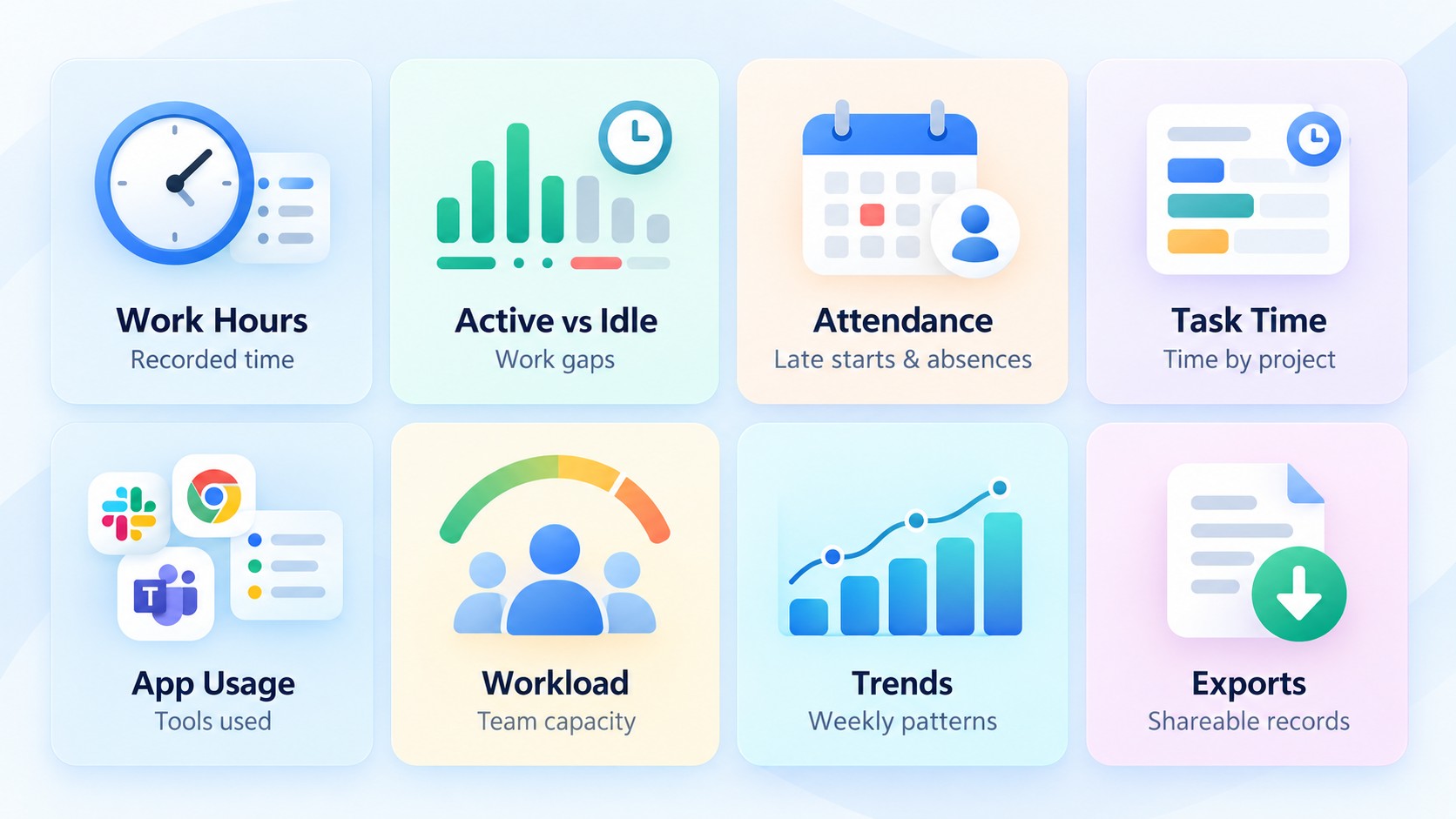
Tracked work hours
Shows how much work time was recorded during the selected period. This is a baseline, not a performance score.
Active vs. idle time
Helps managers see whether long hours actually reflect sustained work or large gaps in activity.
Attendance patterns
Shows late starts, missed days, absenteeism, and repeated schedule deviations that may affect staffing.
Task or project time
Connects hours to the work that consumed them, making it easier to identify overruns, bottlenecks, and under-estimated projects.
App and website usage
Shows which digital tools consume work time and can help teams identify distracting patterns, redundant software, or underused licenses.
Workload distribution
Helps managers compare capacity across employees or teams so work can be rebalanced before someone becomes overloaded.
Productivity trends
Shows how work patterns change over days, weeks, or months rather than treating one bad day as a long-term performance problem.
Exportable records
Makes it easier to share data with payroll, finance, clients, or auditors without rebuilding reports manually.
Which Productivity Metrics Actually Matter?
The mistake many companies make is tracking every available metric just because the software can. More data does not automatically create better decisions. A useful metric should connect to a real management question.
| Business Question | Useful Metric | What It Can Reveal |
|---|---|---|
| Are teams overloaded? | Hours + workload distribution | Capacity gaps, uneven staffing, repeated overwork. |
| Why is a project losing margin? | Task/project time | Scope creep, estimation errors, rework, or inefficient allocation. |
| Are attendance issues affecting delivery? | Attendance + schedule adherence | Late starts, absence trends, and coverage gaps. |
| Are tools helping or distracting? | App/website usage | Heavy use of nonessential tools or underused software subscriptions. |
| Is productivity improving? | Trend data over time | Sustained change instead of one-day activity spikes. |
| Are employees focused for too long? | Focus and idle patterns | Possible burnout risk, workload imbalance, or unrealistic schedules. |
How to Read Productivity Reports Without Rewarding Busywork
A productivity report can become misleading very quickly if activity is treated as the same thing as output. Mouse movement, keyboard use, hours online, or a high activity percentage may show that someone was active. They do not prove that the work was useful, accurate, or aligned with a business goal.
Use activity data as context, not as a verdict. If a report shows an unusual drop in activity, ask what changed. The employee may have been in client meetings, reviewing documents offline, working through a complex problem, or waiting on another team. A strong manager uses the report to ask better questions rather than to skip the conversation.
That is also why productivity monitoring software should be configured around the way the team actually works. Prodaff, for example, supports active versus idle trends, app and website usage, focus patterns, output-versus-hours analysis, and custom reports. Those signals are more useful when managers interpret them alongside task ownership and business outcomes rather than as isolated scores.
Real-Time Reporting vs. Month-End Reporting
Month-end reporting is good at explaining what already happened. Real-time reporting is better at helping managers change what happens next.
Suppose a client project is budgeted for 120 hours and the team has already used 95 hours halfway through the schedule. A month-end report may confirm that the project went over budget. A real-time productivity report can surface the problem while there is still time to narrow scope, reassign work, or talk to the client.
The same principle applies to workload. If one team member is consistently logging long days while another has open capacity, managers can rebalance the work before missed deadlines or burnout show up in the next quarterly review.
How Prodaff Turns Workforce Data Into Actionable Reports
Prodaff brings time tracking, attendance, productivity signals, and task-level activity into one reporting environment. Instead of maintaining separate spreadsheets for hours, attendance, project work, and activity, managers can review a more connected picture of how work is moving across the organization.
- View time usage by employee, team, project, or task.
- Compare active and idle patterns over selected periods.
- Review attendance, absenteeism, and schedule trends.
- Analyze app and website usage to understand digital work patterns.
- Generate custom productivity reports using role, project, user, or date filters.
- Export reports for payroll, client reporting, audits, or operational reviews.
- Give employees access to their own data so productivity reporting remains transparent rather than hidden.
For teams that also need reliable source data, employee time tracking software captures desktop-based work time, task-level activity, idle time, and transparent logs that can feed these reports without relying on employees to rebuild their day from memory at the end of the week.
A Practical Example: From Raw Time Data to a Better Decision
Consider a 30-person software team. One product release keeps slipping, and managers initially assume the developers are not putting in enough hours. The time report shows something different: total hours are high, but a large share of time is being absorbed by unplanned support work and repeated QA rework.
That changes the management response. Instead of pushing everyone to work longer, the team can separate support rotations, assign clearer QA ownership, and protect focused development blocks. The report did not solve the problem on its own. It made the real problem visible.
This is the difference between using productivity data for control and using it for operations. The first asks, "Who looks busy?" The second asks, "What is getting in the way of good work?"
How to Build Better Employee Productivity Reports
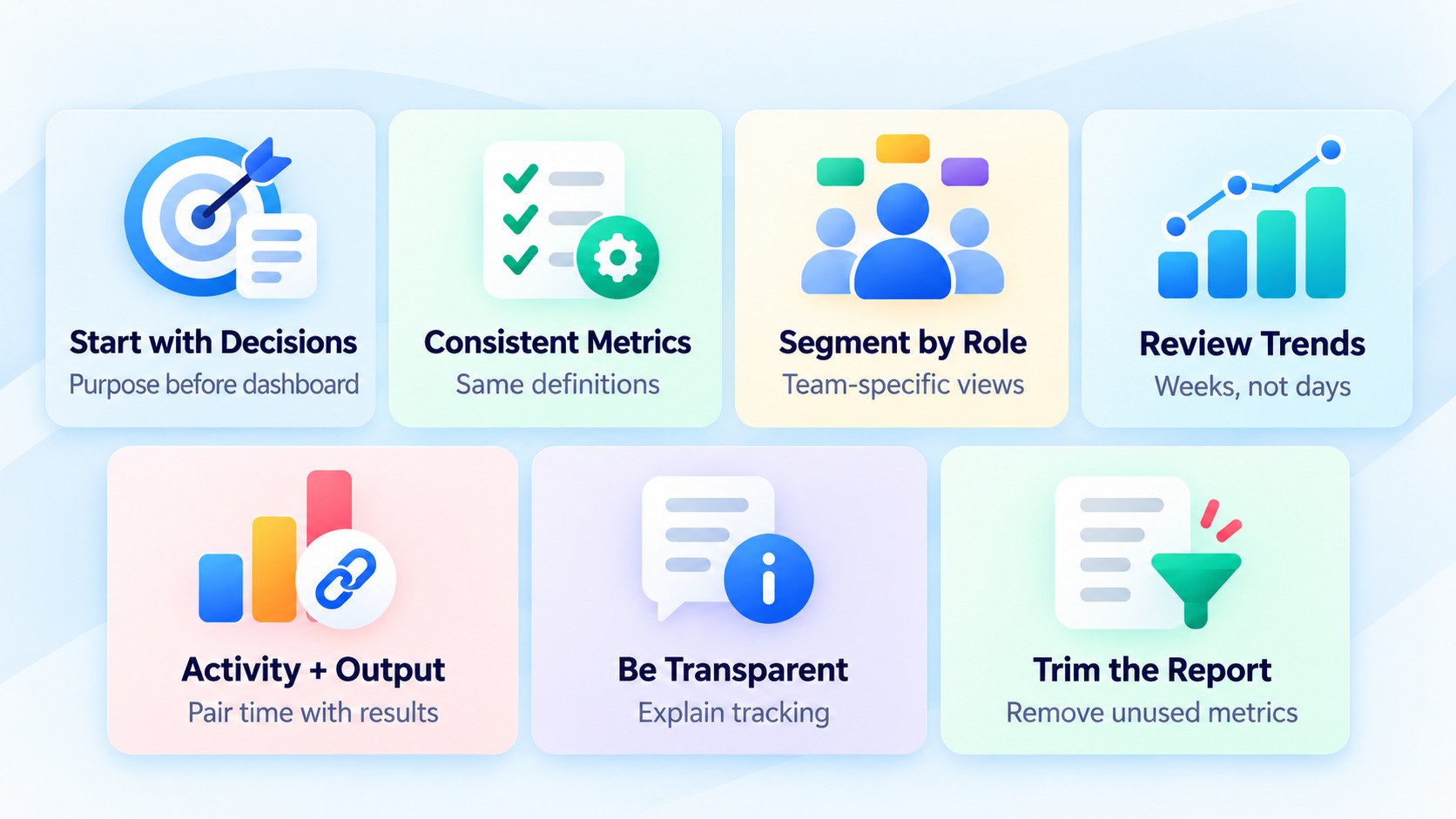
1. Start with the decision, not the dashboard
Define what the report is supposed to help you decide. Capacity planning, payroll accuracy, client profitability, and coaching require different views.
2. Keep definitions consistent
Decide what counts as active time, idle time, productive apps, attendance exceptions, billable work, and completed work. If departments use different definitions, comparisons become unreliable.
3. Segment reports by role and team
Do not compare a developer, support agent, salesperson, and finance employee using the same activity expectations. Their work patterns are fundamentally different.
4. Review trends, not isolated days
Weekly and monthly trends are usually more useful than one unusual afternoon. Look for repeated patterns before making performance conclusions.
5. Combine activity with output
Pair time and activity data with task completion, project milestones, quality, deadlines, customer outcomes, or other relevant measures.
6. Make the process transparent
Employees should know what is tracked, why it is tracked, who can access the data, and how reports will be used.
7. Review the report itself
If a metric does not change a decision, remove it. Reports should become clearer over time, not longer.
Common Mistakes to Avoid
Treating hours as performance
Long hours can reflect poor estimates, excessive workload, rework, or inefficient processes. They should not automatically be rewarded.
Using activity scores as the only measure
Activity can provide context, but it cannot measure quality, creativity, judgment, or customer impact on its own.
Comparing unrelated roles
A support team may naturally have different app usage and idle patterns than a research or engineering team.
Collecting data nobody uses
If managers never act on a metric, collecting it only adds noise and can increase employee concern.
Hiding the tracking process
Secretive monitoring damages trust. Clear policies and employee visibility make reporting easier to explain and use responsibly.
Waiting until month end
Delayed reports turn preventable problems into historical explanations. Use real-time or weekly views for operational decisions.
When Should a Business Move Beyond Spreadsheet Reporting?
Spreadsheets can work for a small team with simple schedules and limited project complexity. They usually start breaking down when managers spend more time assembling the report than using it.
- Different managers maintain separate versions of the same report.
- Attendance, timesheets, and project data have to be reconciled manually.
- Reports arrive too late to influence staffing or delivery decisions.
- The same payroll or billing corrections repeat every cycle.
- Remote and hybrid teams create visibility gaps.
- Leadership wants team-level or project-level trends that spreadsheets cannot produce consistently.
At that point, the issue is no longer the spreadsheet itself. The issue is that the reporting process has become too fragmented to support the business reliably.
Final Thoughts
Employee productivity reports are most useful when they reduce uncertainty, not when they generate more numbers. The right report helps managers understand where time goes, how workloads are distributed, which projects need attention, and where teams need support.
The key is context. Time, attendance, app usage, and activity patterns can all be valuable, but only when they are connected to the work employees are expected to deliver. Use the data to improve planning, coaching, project estimates, and resource allocation. Avoid turning it into a leaderboard of who appears busiest.
For growing teams, moving from manual timesheets and disconnected spreadsheets to real-time, transparent reporting can make workforce decisions faster and easier to defend. The payoff is not more monitoring. It is better management.
Frequently Asked Questions
An employee productivity report summarizes work-related data such as tracked hours, attendance, task time, idle patterns, app usage, workload, and productivity trends. It helps managers understand how work is progressing and where operational issues may exist.
Useful reports commonly include tracked work hours, active versus idle time, attendance, task or project time, workload distribution, app and website usage, and trend data. The exact metrics should match the role and business decision being supported.
They can provide valuable evidence, but no single report should be treated as a complete performance score. Managers should combine productivity data with work quality, deadlines, project outcomes, customer impact, and role-specific expectations.
Operational teams may benefit from daily or weekly views, while performance trends are usually clearer over longer periods. Real-time reporting is especially useful for workload, attendance, and project budget issues that require quick action.
A timesheet records hours. A productivity report analyzes those hours alongside attendance, tasks, activity patterns, workload, and other context to explain how work is progressing.
Not necessarily. Productivity reports can be built from time, attendance, task, and project data without relying on invasive monitoring. The important factors are what data is collected, why it is collected, and how transparently it is used.
Prodaff combines time tracking, attendance, productivity analytics, task-level activity, app and website usage, and exportable reporting in one platform. Managers can filter reports by team, project, user, task, or date range while employees retain visibility into their own data.